Free focus timer for macOS
Focus in pomodoros —
right from your desktop.
Work 25 minutes on one task, rest 5. Pomodoro keeps the rhythm: a timer in the menu bar, native desktop widgets, a floating timer and statistics — and it walks beginners through the first pomodoros.
Never tried pomodoros? The app shows you how.
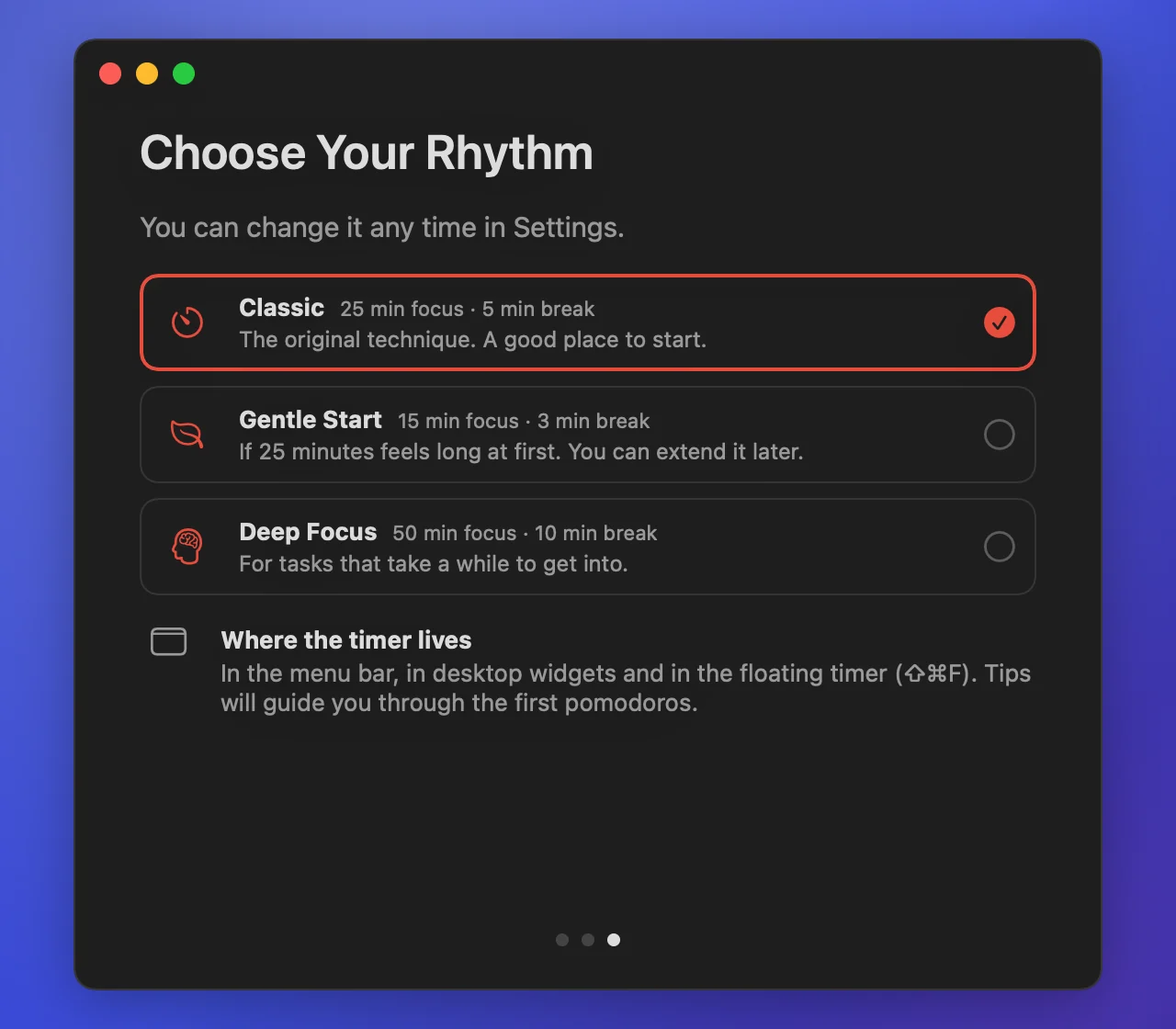
On first launch Pomodoro explains the technique in three short screens and lets you pick a rhythm. Tips guide you through the first pomodoros and then step aside.
- One task per pomodoroPick a task, start the timer and stay on it. A stray thought — jot it down and get back.
- Real breaksShort breaks between pomodoros and a long one after a full cycle — away from the screen.
- A rhythm that fitsClassic 25/5, Gentle Start 15/3 for the first days, Deep Focus 50/10 for long tasks. Change it any time.
- Tips as you goUnder the timer and in notifications: what to do right now. They hide themselves after about three days.
- Advice from your weekPomodoros often interrupted? The app suggests a shorter one. A clean week on Gentle Start? It suggests a longer one.
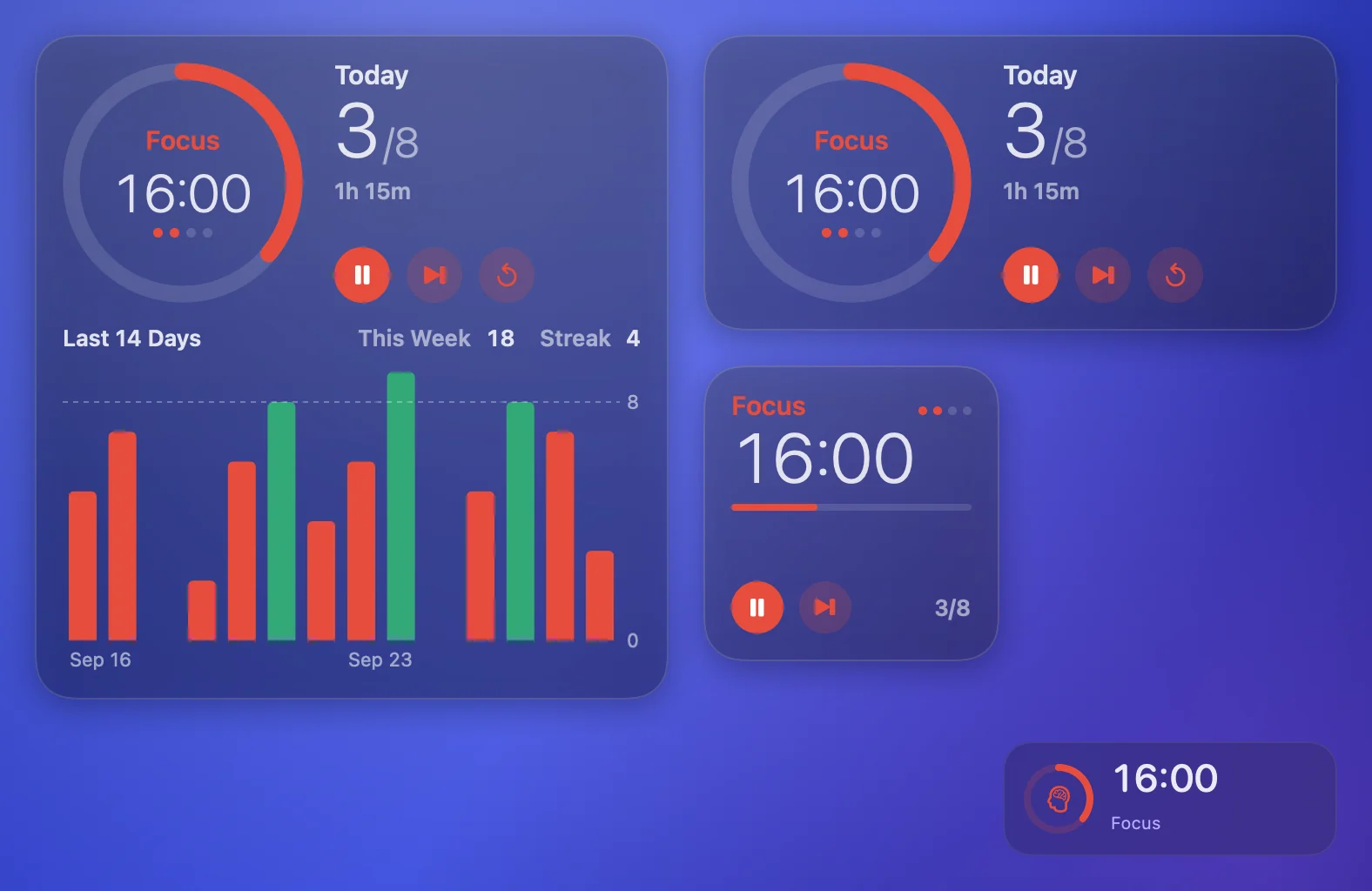
Desktop widgets: the timer always in sight.
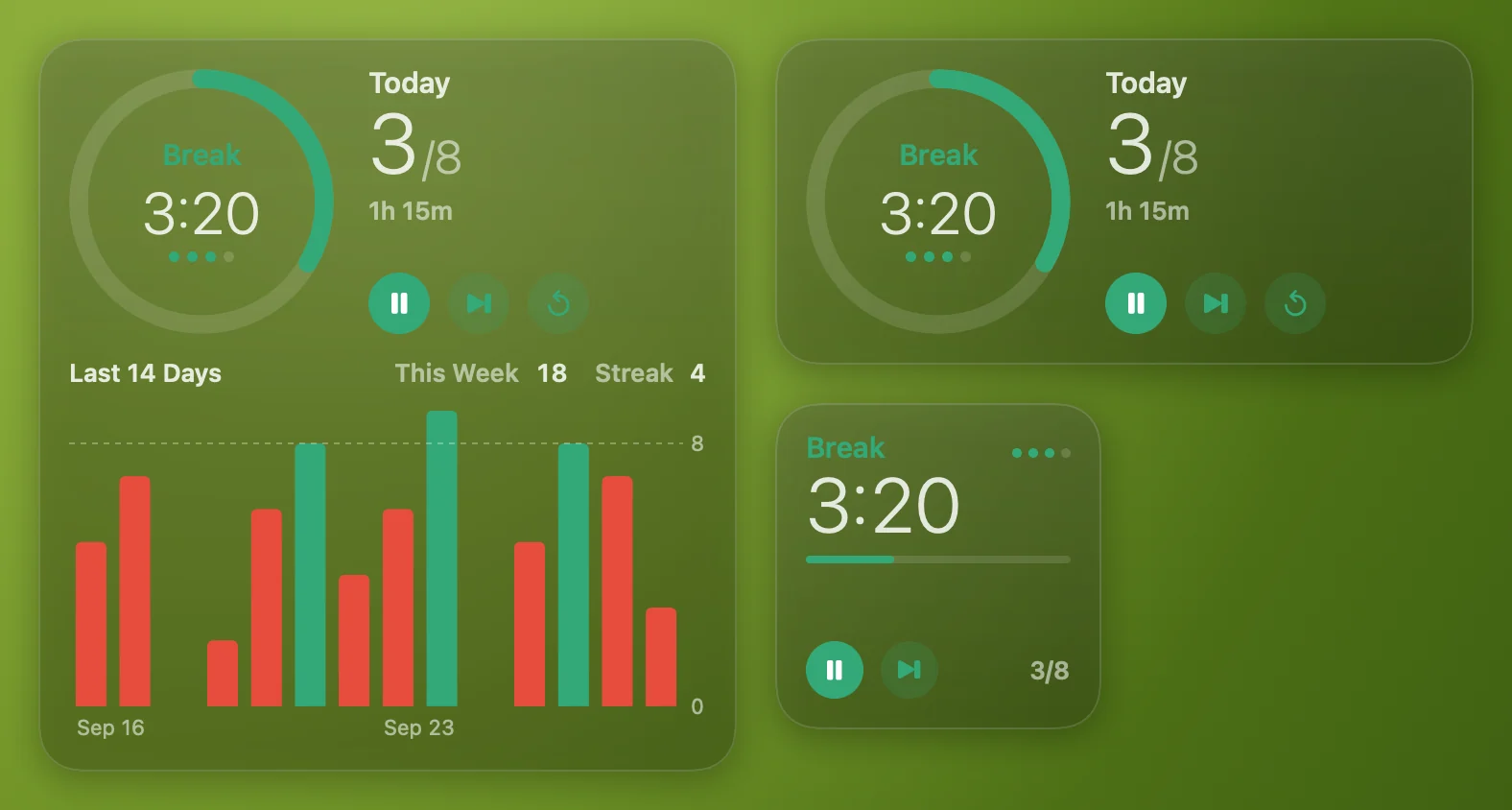
Three sizes of one widget, in the style of the system ones. Start, pause and skip right from the widget — even when the app is closed.
Timer
Phase, time left, progress and today's count.
Timer and today
A dial with the cycle dots, today's pomodoros against your goal and focus time.
Timer and two weeks
Everything from the medium one plus the week, your streak and bars for 14 days.
In the menu bar and on top of every window.
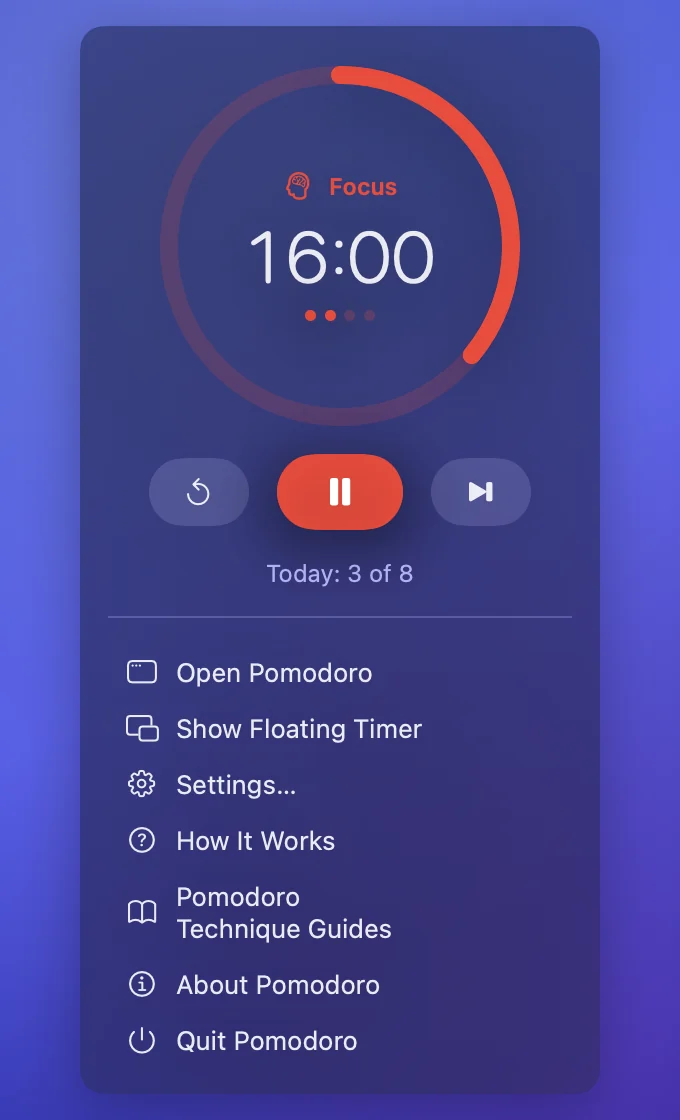
Time left sits in the menu bar; a click opens the dial and controls. The floating timer stays above all windows on every desktop and doesn't steal focus.
- Floating timerA small panel over all windows. Drag it anywhere; ⇧⌘F shows or hides it.
- Focus turns on by itselfPomodoro turns on your macOS Focus for each pomodoro and off for breaks — through two shortcuts in the Shortcuts app.
- Notifications and soundA notification with a Start button and a system sound when a pomodoro or a break ends.
Statistics: watch the pomodoros add up.
Today against your daily goal, the week, your streak and bars for the last 14 days.
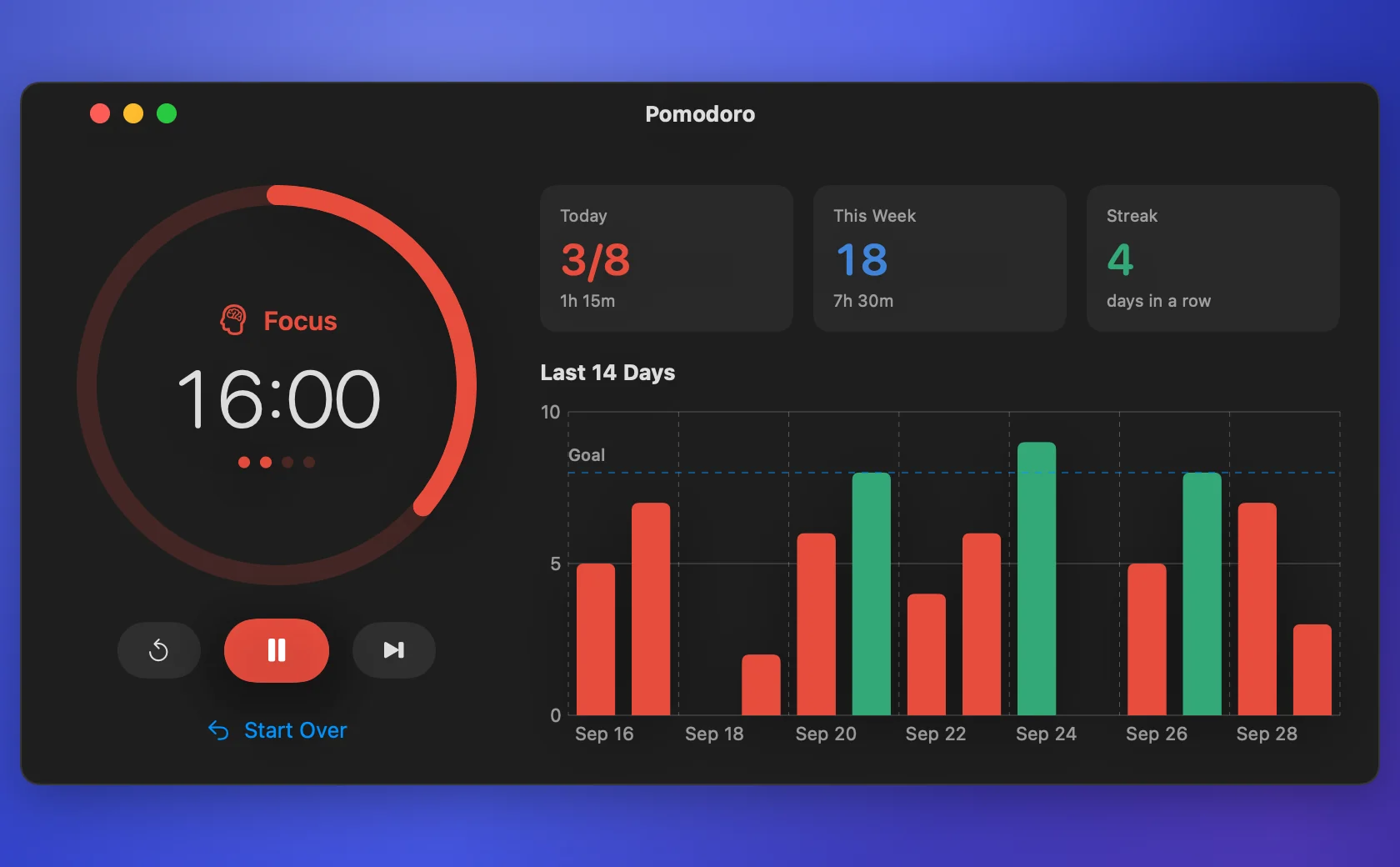
Daily goal
Set how many pomodoros you want a day; days you hit it turn green.
Survives restarts
A running pomodoro continues after the app or the Mac restarts; one that ended meanwhile still counts.
Tells you about new versions
A notification and an item in the menu bar timer — whether to update is up to you.
Install in a minute.
The app isn't from the App Store, so on first launch macOS asks you to confirm that you trust it. You do this only once.
Open the disk image and drag Pomodoro to Applications
The Applications shortcut is in the same window.
Launch Pomodoro
macOS will say it can't verify the developer — click Done.
Allow it to open
System Settings → Privacy & Security → at the bottom, Open Anyway, and confirm with your password. Or run in Terminal: xattr -dr com.apple.quarantine /Applications/Pomodoro.app
Add widgets
Right-click the desktop → Edit Widgets → Pomodoro, and drag the size you like onto the desktop.
To remove: Quit Pomodoro in the menu bar timer, remove the widgets from the desktop and delete Pomodoro from Applications.
Disk image SHA-256: 984397084a8e26b9f213af11243b269cee1dc0cdaa866df159b38a17435772c4
Pomodoro is free. If it helps — thank the author.
Questions.
Is Pomodoro free?
Yes. No ads, no subscription, no account. If it helps, you can thank the author.
What is the pomodoro technique?
You work on one task for 25 minutes, then rest for 5; after four pomodoros comes a longer break. Short fixed stretches make it easier to start and to stay focused.
I've never worked in pomodoros. Where do I start?
Just launch the app: it explains the technique in three screens and suggests a rhythm. If 25 minutes feels long, pick Gentle Start — 15 minutes of focus and 3 of rest.
The app isn't notarized by Apple. Is it safe?
Notarization requires a paid Apple developer account, which the app doesn't have yet. The disk image checksum is on this page.
How does it turn on Focus?
macOS gives apps no public way to switch Focus, so Pomodoro runs two of your shortcuts from the Shortcuts app — one turns Focus on, the other turns it off. Settings explain how to create them.
Do widget buttons work when the app is closed?
Yes: start, pause and skip change the timer right from the widget. Sound, notifications and Focus need the app running — it opens at login by itself.
Which Macs does it run on?
macOS 15 Sequoia or later, on Apple Silicon and Intel.
How do I remove it?
Quit Pomodoro in the menu bar timer, remove the widgets from the desktop and delete Pomodoro from Applications.
Guides
- What to Do on a Pomodoro Break Five minutes of break vanish into a feed and you come back tired. What actually restores you, the 20-20-20 rule and how to spend a long break. FocusProductivity
- How to Set Up Focus on a Mac for Work How to set up Focus on your Mac: which people and apps get through, schedules, filters and Focus status — so notifications stop breaking your work. macOSFocus
- Mac Desktop Widgets: How to Add Them and Which to Keep How to add widgets to your macOS desktop, which ones are worth keeping — from calendar to CPU and memory load — and what to do when widgets disappear. macOSProductivity
- Time Blocking and Pomodoro: How to Plan a Working Day Time blocking decides what to work on, Pomodoro decides how. A daily setup: blocks in your calendar, pomodoros inside them, and a plan for when it slips. ProductivityFocus
- The 52/17 Rule and 90-Minute Cycles: Longer Pomodoros The 52/17 rule and 90-minute cycles: where they come from, what holds up, who they suit, and how to set a longer rhythm when 25 minutes is too short. FocusProductivity
- How to Customize the Mac Menu Bar: Icons and the Notch Menu bar icons hide behind the notch and clutter the screen. How to reorder and hide them with built-in settings, and what is worth keeping in view. macOSProductivity
- Pomodoro and Focus on macOS: Silence Notifications How to silence notifications automatically for each pomodoro using macOS itself: a Focus mode, two shortcuts and no third-party blockers. FocusmacOS
- What to Do When a Pomodoro Gets Interrupted Why pomodoros get interrupted, how internal distractions differ from external ones and what to do about each: write it down or negotiate — without guilt. Focus
- How Long Is a Pomodoro: 25/5, 15/3 or 50/10 The classic 25 minutes don't suit everyone or every task. Three proven pomodoro rhythms — 25/5, 15/3 and 50/10 — how to pick yours and when to change it. ProductivityFocus
- The Pomodoro Technique: What It Is and How to Start What the Pomodoro Technique is, how a cycle of four pomodoros works, and how to get through your first day with it — no extra rules, no required apps. FocusProductivity